Information Technology for Families

The Grand Erie District School Board is committed to delivering digital learning opportunities to all students to support global competencies.

All Grand Erie students and staff have a Microsoft 365 (M365) account. Students in Kindergarten to Grade 12 will not be able to use their Grand Erie account to register for a third-party website, application or software unless it has been approved for education use by Grand Erie.

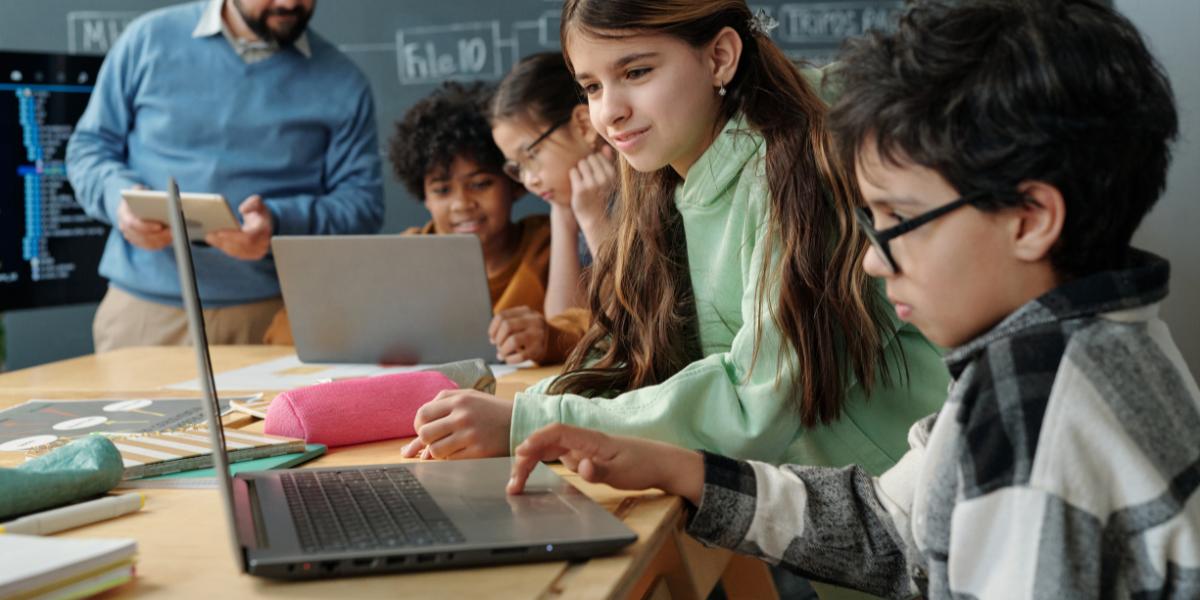
    School children in classroom learning on a laptop

    Students are provided with a variety of digital learning tools, including, but not limited to:

    • Microsoft 365
    • Brightspace
    • myBlueprint
    • Canva for Education

      Microsoft 365

      Microsoft 365 is a suite of tools designed to empower educators and students as they learn and innovate together. All Grand Erie students and staff have a Microsoft 365 account and email. Grand Erie has a contractual agreement with Microsoft for Education, which is significantly different from a standard personal Microsoft account. The agreement provides Grand Erie with content ownership, application controls and support and protection from advertisements.

      Learn more about Microsoft 365

      Grand Erie's Microsoft 365 plan allows students to access cloud and desktop versions of key productivity apps and services for free! These apps include:

      • Excel to analyze and visualize data.
      • Forms to create online surveys, quizzes, and more.
      • OneDrive to store photos, videos, and files.
      • OneNote to take notes.
      • Outlook to manage school emails, calendars, and tasks.
      • PowerPoint to create presentation slide decks.
      • Sway to create interactive reports, presentations and more.
      • Word to write reports, papers, and other assignments.
      • Bookings to organize schedules and manage appointments.
      • Clipchamp to create, share, and connect—intuitive video tools for work, school, and personal projects.
      • Loop to co-create, get up-to-speed, and stay in sync with your teammates.
      • Planner to manage all your work in a single, intelligent planning solution to stay on track and achieve more.
      • Stream to record, upload and share videos.
      • Teams to communicate and collaborate via video calls, chat, and more.
      • Whiteboard the visual collaboration canvas in Microsoft 365 for flexible work and learning.
      Brightspace

      All Grand Erie students have a Brightspace account. Brightspace is an online learning management system provided to all Ontario school boards by the Ministry of Education. It includes an online classroom and a portfolio tool to help students document and share their learning with teachers.

      Learn more about Brightspace

      myBlueprint

      The myBlueprint Education Planner is a comprehensive digital platform that supports students in Grades 7 to 12 as they explore who they are, what are their opportunities and plan for life beyond secondary school. Students engage in their Individual Pathway Plan (IPP) through structured surveys, track their graduation progress in the High School Planner, explore post-secondary pathways and careers, and create digital portfolios.

      The platform integrates a visually intuitive high school course planner that aligns with Ontario graduation requirements, enabling students to see how current choices connect to post-secondary options across Canada, including universities, colleges, apprenticeships, and the workforce.

      Beyond planning, the Education Planner emphasizes skill development and documentation of learning. Students can track experiences, achievements, and competencies while building résumés, cover letters, and digital portfolios that showcase their growth using documents, images, and videos.

      Access myBlueprint Education Planner

      Canva for Education

      Canva for Education is a secure, school‑approved online design tool that students and teachers use to create learning materials such as presentations, posters, infographics, and short videos. It helps students share their learning in creative and visual ways while developing communication and digital skills.

      Canva for Education is provided at no cost to schools and includes built‑in classroom features that support collaboration and feedback between teachers and students. Student work is private by default and only shared with others when a teacher or student chooses to do so. Canva for Education follows student data protection requirements and does not display advertising to student users.

      In addition to the provided tools above, schools may select apps, websites or tools to use with students. In these instances, schools are responsible for the protection of student privacy and adherence to provider terms of service.

      Some digital learning tools require Grand Erie to share limited personal information, such as the student’s name and email address, for the purpose to create an account for use of the tool or service. Any content created in and/or stored in a district-provided digital learning tool remains the property of Grand Erie. Personal information (name and email address) is used and shared by Grand Erie for the above-noted purposes under the authority of the Education Act and the Municipal Freedom of Information and Protection of Privacy Act (MFIPPA). Parents/caregivers will be made aware of any third-party software used in their child’s classroom that gathers student data, including the nature of what data is collected.

      Technology

      Personal Mobile Devices

      In accordance with the provincial requirements detailed in PPM 128, Grand Erie has revised its expectations with respect to the student use of personal mobile devices. These expectations aim to promote a positive and supportive learning environment as free as possible of distractions while maximizing academic engagement and student mental health and well-being. 

      Definition of “Personal Mobile Device”​

      A personal mobile device refers to any personal electronic device that can be used to communicate or to access the Internet, including, but not limited to, a cell phone, tablet, laptop or smartwatch.

      Student Use of Personal Mobile Devices​ (including cell phones)

      Students in Kindergarten to Grade 6

      Students in Kindergarten through Grade 6 are required to keep cell phones and other personal mobile devices out of sight and on “silent” or powered off for the full duration of the instructional day, except under the following circumstances:

      • for educational purposes, as directed by an educator
      • for health and medical purposes
      • to support special education needs as documented in the student’s IEP
      Students in Grades 7 to 12

      Students in Grades 7 through 12 inclusive are required to keep cell phones and other personal mobile devices out of sight and on “silent” or powered off during instructional time except under the following circumstances:

      • for educational purposes, as directed by an educator
      • for health and medical purposes
      • to support special education needs as documented in the student’s IEP

      Personal Responsibility  

      Students are responsible for their personal mobile devices, how they use them and the consequences of not following the board’s Acceptable Use of Information Technology Procedure IT 001, which includes details on personal mobile device use. 

      When principals address a student who fails to comply with an educator’s direction to place a device out of sight, the principal will exercise their discretion and consider a range of responses to address the student’s behaviour, in alignment with the board’s Progressive Discipline/Promoting Positive Behaviour Procedure. Parents/caregivers are encouraged to contact their child’s school with specific information on cell phones.   

      WiFi in Schools

      Grand Erie supports the use of WiFi in its schools and administrative offices to provide connectivity to resources and improve communication.

      WiFi coverage is provided in all Grand Erie buildings, including portables.

      Additional Resources

      Safety of WiFi Eqiupment (Health Canada)


      Technology Tips

      Tips for Cleaning Your Digital Clutter

      It is recommended to periodically review your digital devices and remove unnecessary files, pictures and applications. This will help protect against loss of information in the event the device is lost, stolen or damaged, as well as improve device’s performance.

      • Backup your device to a secure external device or network/cloud storage (include important files - photos, videos, apps and contacts).
      • Delete documents, apps and unnecessary data from your device.
      • Be selective about what you keep on your device (only add applications, photos and videos you use).
      • Update your device password (optional, but always good to change your passwords periodically).
      • Set a calendar reminder for your next digital cleanup.
      Privacy and Passwords

      Privacy

      It is everyone's responsibility to safeguard their own data and to be aware of their online presence.

      Be aware of the latest trends and tricks that harm your data profile. Threat actors try to compromise your private information.

      Get Cybersafe. Learn how you and your information can be compromised, and how to protect yourself (e.g., ransomware, phishing, malware, viruses).

      Understand that the information you are handling may be personal (yours and/or others) and needs to be treated with care.

      Before you share, THINK - Is it True? Is it Helpful? Is it Inclusive? Is it Necessary? Is it Kind?

      Understand the terms and conditions of applications. When you click “agree,” do you know what you are agreeing to?

      Grand Erie’s Privacy and Records Information Management Policy

      Additional Resources

      Passwords

      Suggestions to keep your password safe:

      • Do not share your password. It is private and important just to you.
      • Avoid reusing your password. If it is compromised, how many applications are impacted?
      • If you think your password has been compromised, change it immediately and contact your service provider.

      Grand Erie Network Username and Password

      At Grand Erie, every student and staff member has been provided a network username and password. If you suspect your password has been compromised, take immediate steps to notify someone.

      Student - let a teacher know if you think your password has been compromised.

      Internet Filtering

      Students are expected to use the Internet appropriately and are taught digital citizenship and the importance of practicing ethical and legal digital behaviour.

      Grand Erie blocks access to adult-content websites (e.g. pornographic websites) for all staff and students when on the Grand Erie network. Grand Erie cannot filter or log Internet access on personal devices when users access a cellular network.

      Students are expected to:

      • advocate and practice safe, legal and responsible use of information and technology.
      • exhibit a positive attitude toward using technology that supports collaboration, learning and productivity.
      • demonstrate personal responsibility for lifelong learning.
      • exhibit leadership for proper technology use.

      Students follow the Acceptable Use of Information Technology Policy and the Acceptable Use of Information Technology Procedure, which outline the appropriate use of the Internet and define appropriate behaviours. ​

      Social Media

      Social media has become an increasingly important and popular means of communication. Used responsibly, social media can be an informative, fun and engaging way to keep up with current events and stay connected with others. Users can explore new hobbies, learn digital skills and even find help with schoolwork. Social media can also provide outlets for budding creativity in art, music, photography or writing. 

      The negative impacts of social media use among children and teens are, however, well documented, and as a parent/caregiver, it’s good to be aware of these. Here’s a simple summary:

      1. Mental health issues: Constant exposure to unrealistic images and comparisons can lead to anxiety, depression and low self-esteem, especially for teens who are still developing their self-identity.
      2. Cyberbullying: Social media can sometimes be a platform for mean or harmful behaviour. This can have a lasting emotional impact on kids.
      3. Addiction and Distraction: The addictive nature of social media can lead kids to spend too much time online, which may affect their school performance, sleep, and physical activity.
      4. Privacy and Safety Risks: Kids may not always understand how to protect their personal information, which can expose them to risks like online predators, scams or unwanted content.
      5. Negative Influences: Social media can sometimes expose children to inappropriate content, harmful challenges, inaccurate information or unhealthy role models that might encourage risky behaviours.

      By staying involved and setting boundaries, parents/caregivers can help their children enjoy social media more safely. Here are some useful resources for parents/caregivers and their children:

      In accordance with the provincial requirements detailed in PPM 128, Grand Erie has revised its expectations with respect to the student use of social media on board devices and the board network. These expectations aim to promote a positive and supportive learning environment as free as possible of distractions, while maximizing academic engagement and student mental health and well-being. 

      PPM 128 requires school boards to restrict access to all social media platforms on board devices and/or school networks. Social media platforms can only be used by students at school for educational purposes, directed by an educator.

      School boards can determine exception protocols for the use of social media for pedagogical or work-related purposes. Grand Erie has developed an exception protocol for secondary students to access a limited number of social media platforms for educational purposes, for a limited period, upon request by a classroom teacher and reviewed and approved by Information Technology Services. 

      For more information about your children and internet safety, please view the Social Media and Electronic Communications for Staff Administrative Procedure.

      Internet Safety and Cyber Bullying

      Online Safety Tips for Parents/Caregivers

      Cyber Bullying

      Unlike other forms of bullying, cyberbullying involves harassing, humiliating, intimidating and/or threatening others through electronic means including but not limited to the Internet, cell phones and other wireless communication devices. 

      Some examples of cyberbullying might include: 

      • Creating a site or blog where the owner assumes the identity of another person 
      • Impersonating another person as the author of content or messages posted online 
      • Communicating material electronically to others or posting on a website that is accessible by more than one person 

      If someone has posted inappropriate content about you on the Internet (e.g., a social media site or webpage), contact the site administrator and ask that the offensive material be removed. If you have an account, you might want to request a password reset. You might also consider contacting the police if the images are illegal in nature or cause harm to your child. If someone has created a social media account using your child’s Grand Erie email address, go to the site where the fake account exists and request a password reset. It is a good idea in this case to also change the password for your Grand Erie Microsoft 365 account and for any other accounts you may have used that password. 

      Here are some useful cyberbullying links for parents/caregivers: 

      Let's work together in partnership to ensure our children navigate this increasingly digital world safely and responsibly.